

 Games, Categories, Providers
Crown Play Casino Login and Sign Up for Aussie Players
Play over 5,000 slots and table games and activate massive bonuses at our platform, one of Australia’s biggest casinos right now. This casino is known for its super pro-player services, which include responsive customers, fast crypto payment options and a great VIP program. You can maximise these services and have a great time by signing up with the platform.
Discover how you can register here and also complete a successful Crown Play Casino login easily.
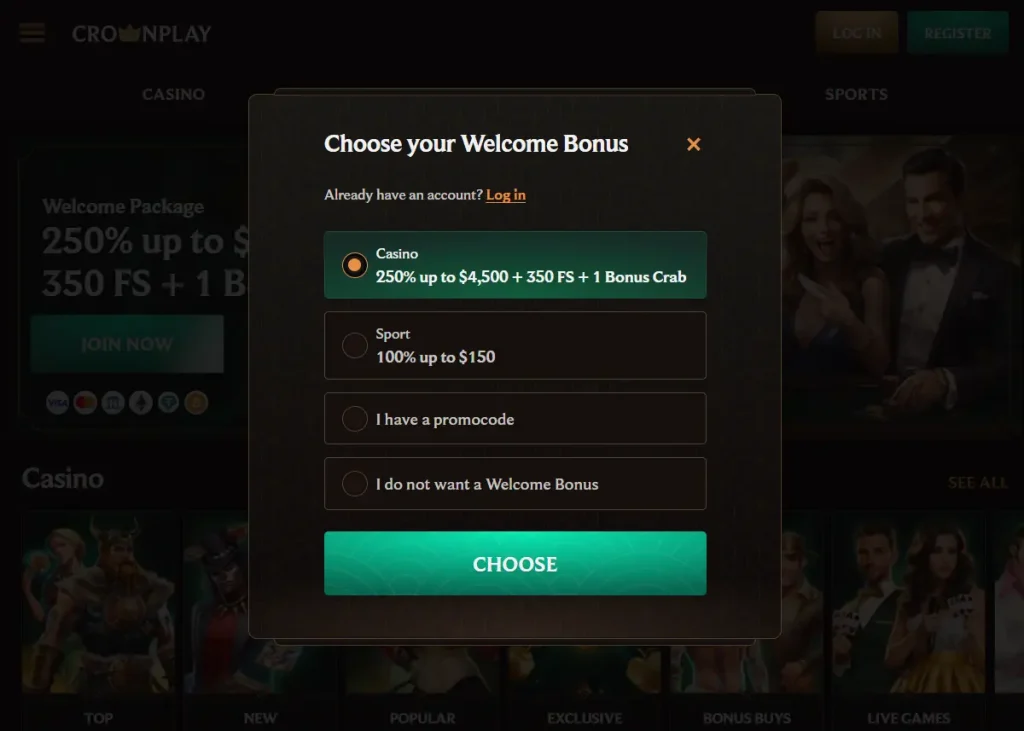
How to Register and Become a Player
You only need to dedicate about 3 minutes of your time to complete your registration and become a player. All new members are immediately eligible for a 4-deposit welcome package worth up to A$4,500 + 350 FS. To benefit from the promotion, you have to deposit at least A$30 on your first four attempts.
The welcome promo is only one of the many benefits you enjoy as a member of the community. There are more bonuses to grab and a VIP program to maximise. We also have a dedicated mobile app so you can play on the go. This app with CrownPlay login allows you to personalise your experience and does not require much storage space.
Sign Up Requirements
See the steps and requirements you have to satisfy to register and become a player:
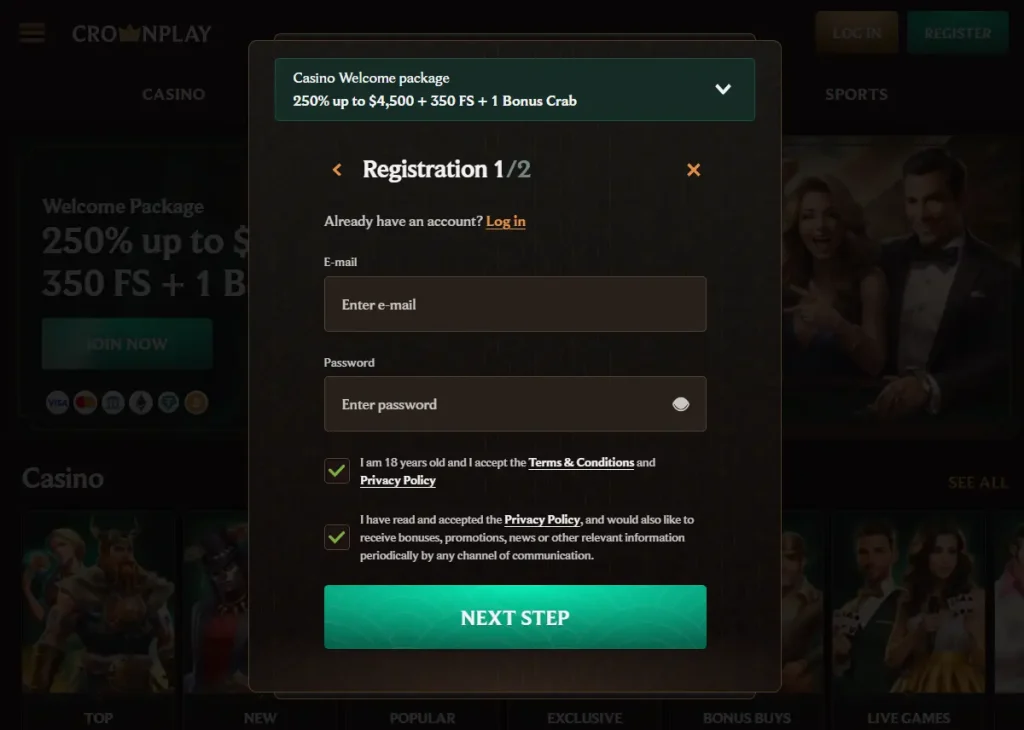
- Go to the official website and click on the “Register” button in the top-right corner of the screen.
- A bonus field will immediately come up. You have to choose whether you want the 4-deposit casino welcome bonus. Your interest is spinning slots and betting on table games, making the first bonus ideal.
- Now, you have to provide a legitimate personal email and create a password of 8 or more characters for your account and CrownPlay Casino login. Afterward, confirm you are at least 18 or older and accept our terms of service and privacy policy.
- Fill out your name, date of birth, gender, resident country, state, city, home address, postcode and phone number.
- Tap on the final tab to complete your registration.
How to do Crown Play Casino Login to Your Account
Aussies who are recognised players at this brand can sign in to their profile without difficulty. It is even easier to process a login than creating an account, as the steps below confirm:
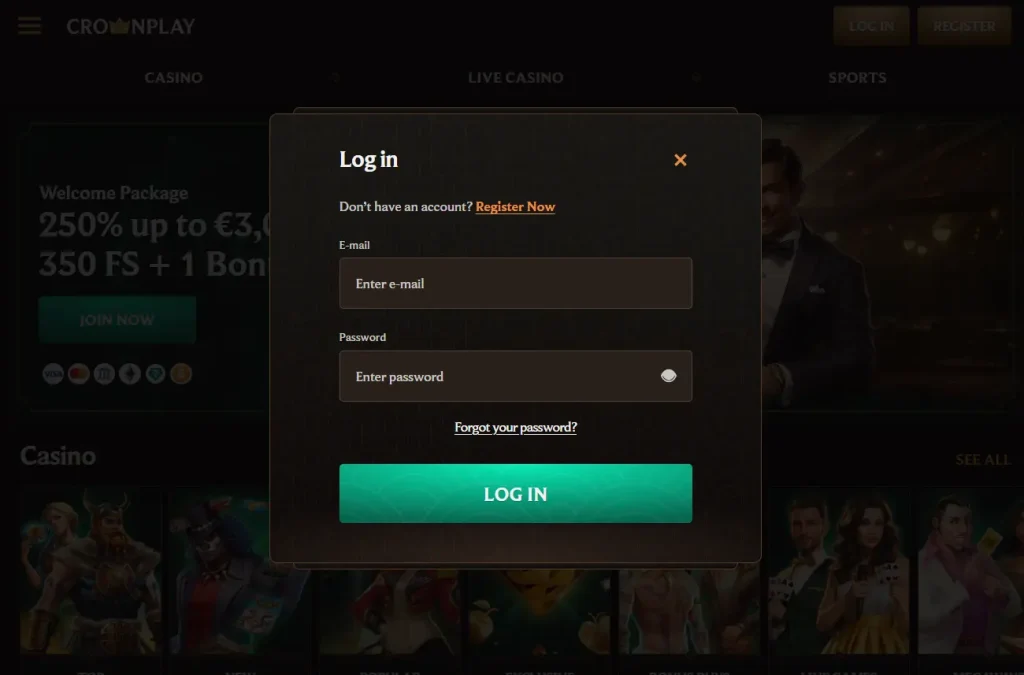
- Go to our official website and hit the golden “Log In” icon at the top right of your screen. The action will pop up on the Crown Play login page.
- In the right places, type in your password and email address. These details are exactly the same ones you provide when signing up as a player.
- Tap on the login icon to sign in to your profile. That is all it takes to access your account.
Sign In With Mobile App
Of course, mobile app users can also sign in to their accounts using their smartphones. The app is compatible with Android and iOS operating systems, and installing it is easy. You just have to access the website with the Chrome browser or Safari browser. Then, navigate your way to the Add to Home Screen menu to kickstart the app download and installation.
After the installation, processing your CrownPlay sign in is more or less a formality. Simply launch the app and click on the “Log In” icon at the top right of the screen. Submit your email and password to access your profile and continue gambling. It is that easy.
Verifying Your Account
It is necessary that everyone with a login detail verify their account. Generally, they have to provide images of valid documents that prove they are of eligible gambling age and also reside in Australia.
Here is a step-by-step process of how to verify your profile. Head to the “Verification” window and confirm your identity, Australian residency, and ability to fund your balance after Crown Play sign in regularly:
- Identity Verification: Upload an image of your passport, driver’s license or a recognised ID document.
- Address Verification: Upload an image of your bank account statement or a recent utility bill not older than 3 months.
- Payment Verification: Upload an image of an online banking method you own. It could be an e-wallet or credit/debit card. You do not have to reveal any sensitive information.
Once you provide this information, we will scrutinise them and verify your account within an hour if they are legitimate. Verified users can withdraw their winnings seamlessly and enjoy exclusive offers with CrownPlay Casino sign in too.
Why CrownPlay Login Requests for Your Personal Details
The only way to complete your registration and get verified is by providing real details about yourself. To promote a safe and healthy gambling environment for all, regulators expect real money casinos to confirm that all their players are at least 18 and have a reliable income source.
When you provide your personal information, we can verify your eligibility before providing real game offerings to you. We do not use personal information unethically. Our website and app with Crown Play Casino sign in are SSL encrypted, and unauthorised parties cannot access members’ data.
Likely Sign In Issues For New Members
Sometimes, new players who have completed their sign up may have issues signing in to their account. See the most popular issues you could encounter and how to resolve them.
- Poor Internet: If your internet is bad, you have to find a better location with better connectivity and log in to your account.
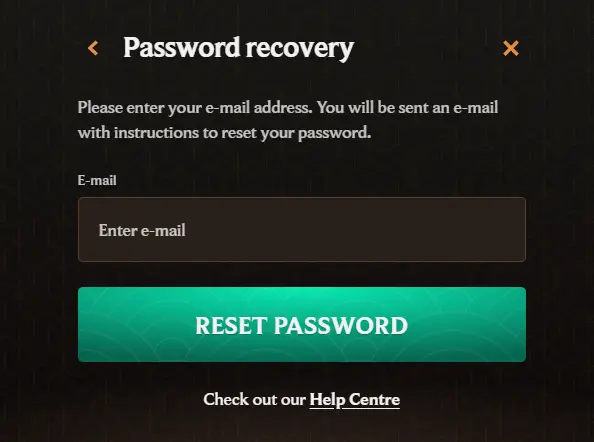
- Forgotten password: This is the most popular issue new and established members deal with. Thankfully, they can recover their account by following the steps we outline in the next section.
- Website Downtime: While rare, CrownPlay Online login may have a downtime moment due to upgrades and maintenance. You do not have to fret. Just give us an hour, and our platform will be up and running. We usually inform our members of upcoming maintenance a couple of days prior to the scheduled time.
How to Recover Your Password
As already mentioned, players often forget their password, leaving them frustrated when they try to access their profile. The password is your most important login detail and the key to your account. Thankfully, you can always recreate a new one if you forget the currently active combination. Here is how to go about it:
Head back to the login page and use the new password to sign in.
Visit the website with CrownPlay sign in or launch the app.
Click on the “Log In” icon to bring up the data field window.
Tap the “Forgot Password” hyperlink and provide your profile email address in the field that comes up.
Go to your email inbox and click on the password reset link we sent to you. The link will lead to a password recovery page where you have to create a new combination.